

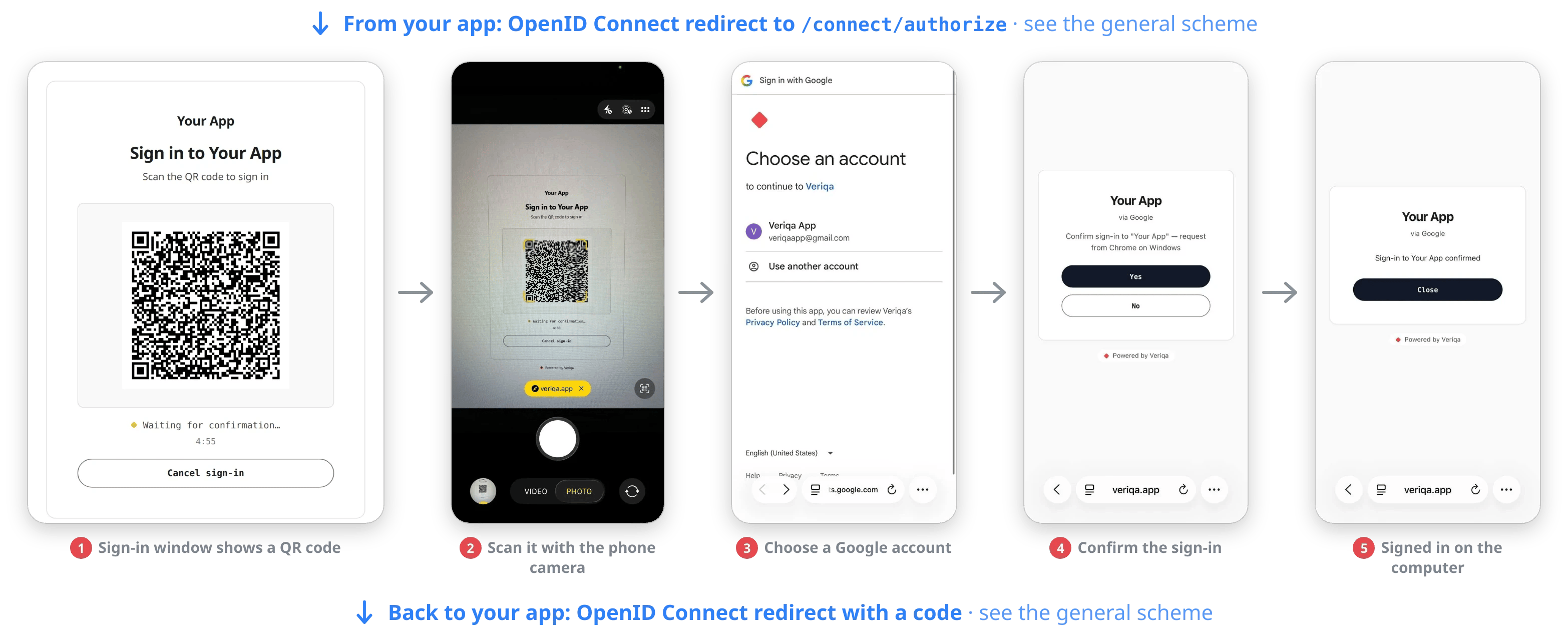
With a QR code: the phone camera, a Google account, one tap on the confirmation page.
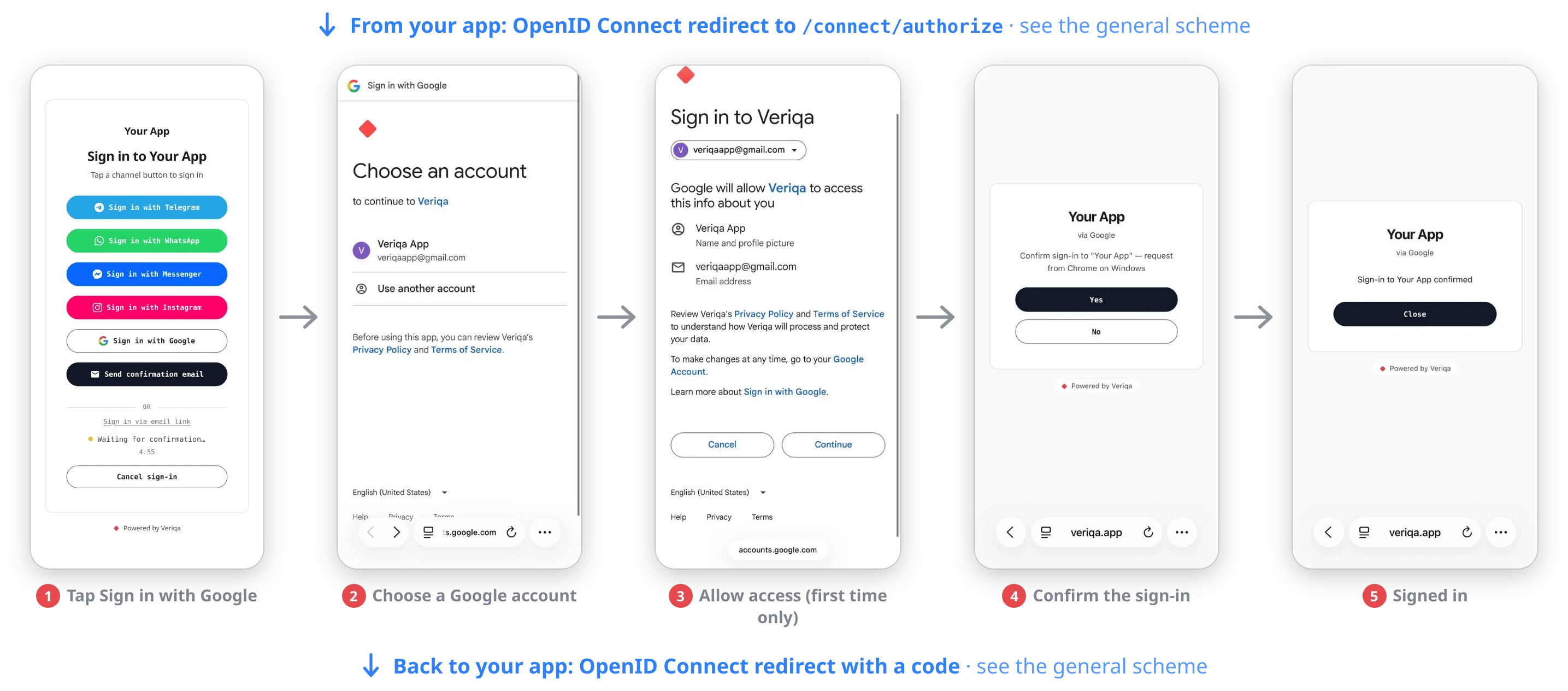
On the same device: a channel button, a Google account, one tap on the confirmation page. Google asks for consent only on the first sign-in.
Why it is safer than the usual sign-in button
The usual “Sign in with Google” button opens the provider’s sign-in in the browser of the device the user signs in on, and the password is typed there. With a QR code, the account password is never typed on that device, so malware on it has nothing to intercept. And since nobody types a password each time, sessions can be kept shorter, which lowers the risk too.Why it is more convenient
- No password to remember: the user is usually signed in to their account on the phone already and only has to pick it.
- No keyboard needed: users can sign in on a TV and on other devices where a password cannot be typed.
- No password on someone else’s device: if the password is needed after all, the user types it on their own phone rather than on a shared or work computer.
- Outside the provider’s ecosystem: sign-in with Google works on an operating system without Google services and in a native app.
- No messaging apps needed: a user who has none of them can sign in too.
Providers
For the five starting providers — Google, Apple, Huawei, Yandex and VK ID — it is known which user data arrives and what to set up for it. Their cards are in the Sign-in with a provider account section of the channel catalog. Any other provider ofOpenIddict.Client.WebIntegration — Microsoft,
Facebook, GitHub, Okta, Keycloak and others — connects the same way; the providers for signing
people in are listed in
Other providers for signing people in.
How to connect
The channel ships in the core as theVeriqa.Core.ChannelAdapter.WebProviders package and is turned
on in configuration: one client registered with a provider is one channel. You need a public HTTPS
address for Veriqa and a client registered with the provider.
- Setup: the Sign-in with a provider account section of Channel setup.
- What the user sees step by step and why the phone asks a question: the Sign-in with a provider account scenario.