

One-tap email
The sign-in page shows a QR code. The user scans it, and the phone opens an email that is already addressed and filled in with a secret token. The user taps Send, and the sign-in completes on the screen. On the same device a button opens the same email.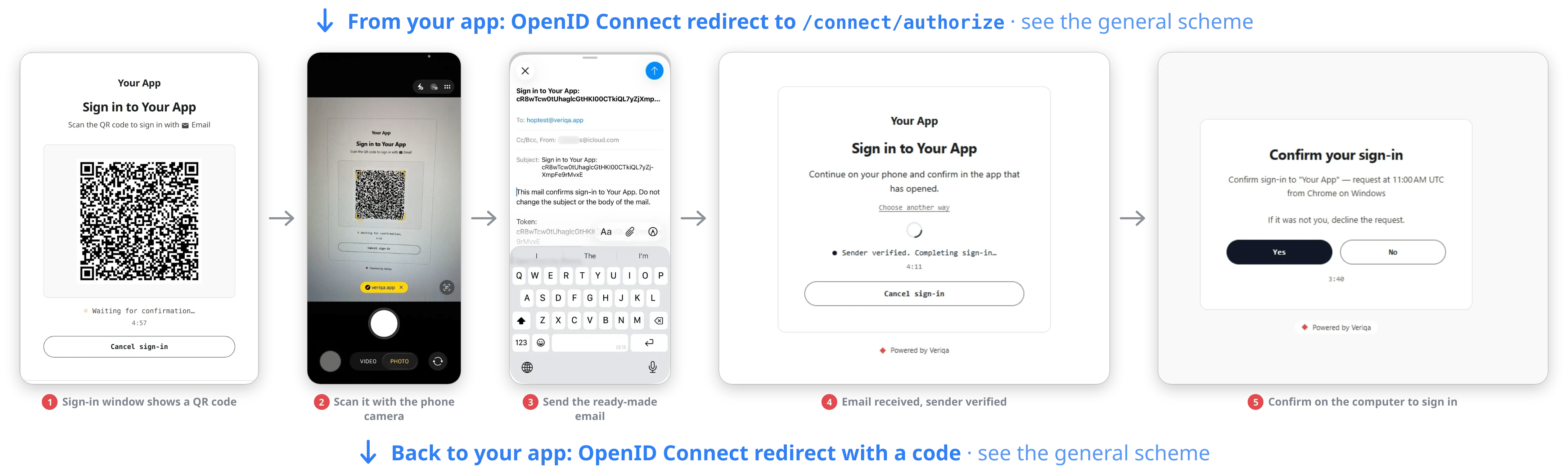
On a computer: a QR code, a ready-made email, the page verifies the sender, and the user confirms the sign-in there.
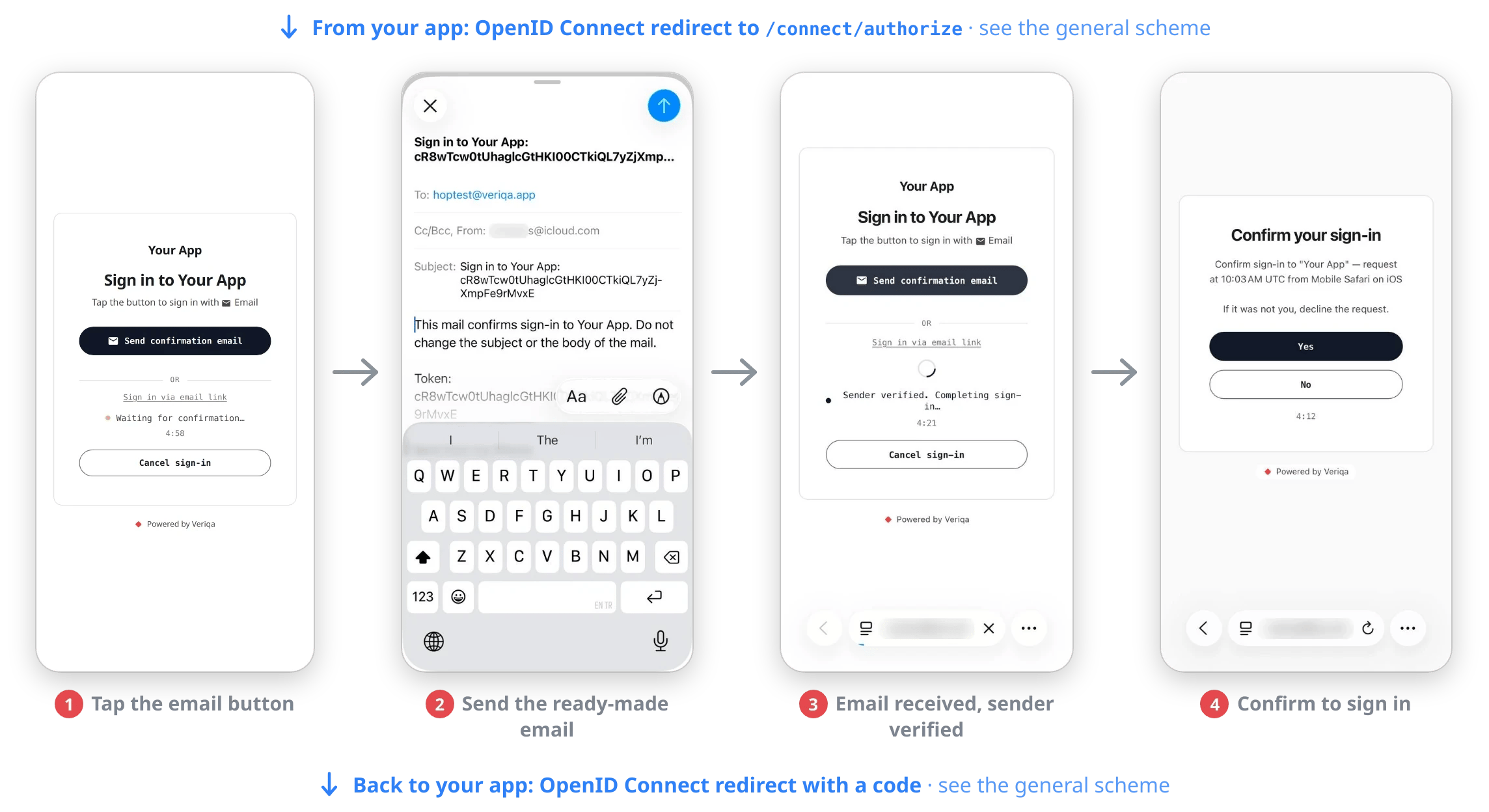
On a phone: the email button, a ready-made email and the same check.
- Fewer steps: nothing to type and no switching to the mailbox and back.
- No waiting: nothing has to reach the user, so there is no spam folder and no delayed email.
- Proof of the mailbox: sending the email shows that the user controls the mailbox, and the sender is checked against DMARC.
- Nothing for a mail gateway to use up: corporate mail protection opens the links in incoming email, and the email the user sends has none.
- One habit: it is the same secret message the messaging apps use, only as an email.