

Messaging apps
Veriqa ships with popular messaging apps — Telegram, WhatsApp, Instagram Direct, Messenger, WeChat and Viber: your users sign in and confirm actions through them. More on the page Supported messaging apps. Veriqa was built for single sign-in through popular messaging apps, but its architecture is not limited to them.Veriqa’s architecture is built on one general notion — the channel. A channel is where the user
confirms a sign-in, and also the source that vouches for who confirmed it. What stands behind a
channel does not matter to Veriqa — only what the channel vouches for. So a channel can be any
service, as long as the data about the user that it passes on meets three conditions:
- the service vouches for it, and the user does not type it;
- it is tied to a stable identifier;
- it reaches Veriqa along a path whose authenticity can be checked.
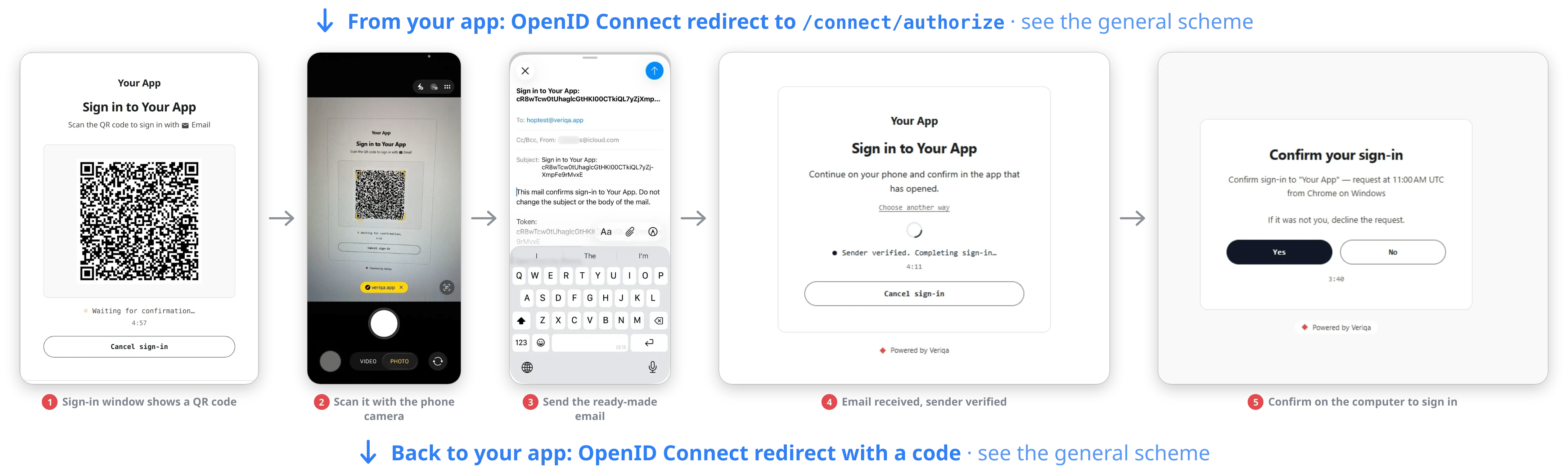
A QR code, a ready-made email, then the page verifies the sender.
Account services
Users can sign in with Google, Apple, Huawei and other account services — 80+ providers in all. The flow is the same everywhere: the user scans a QR code and confirms on their own phone, or taps a single button when signing in on the same device. Why it is safer than the usual sign-in button. With a QR code, the account password is never typed on the computer, so malware has nothing to intercept. And since nobody types a password each time, sessions can be kept shorter, which lowers the risk too. Why it is more convenient. There is no password to remember: on the phone the user is usually signed in to their account already. It helps wherever a password cannot be typed or is risky to type — on a TV, on a shared computer, on a work computer.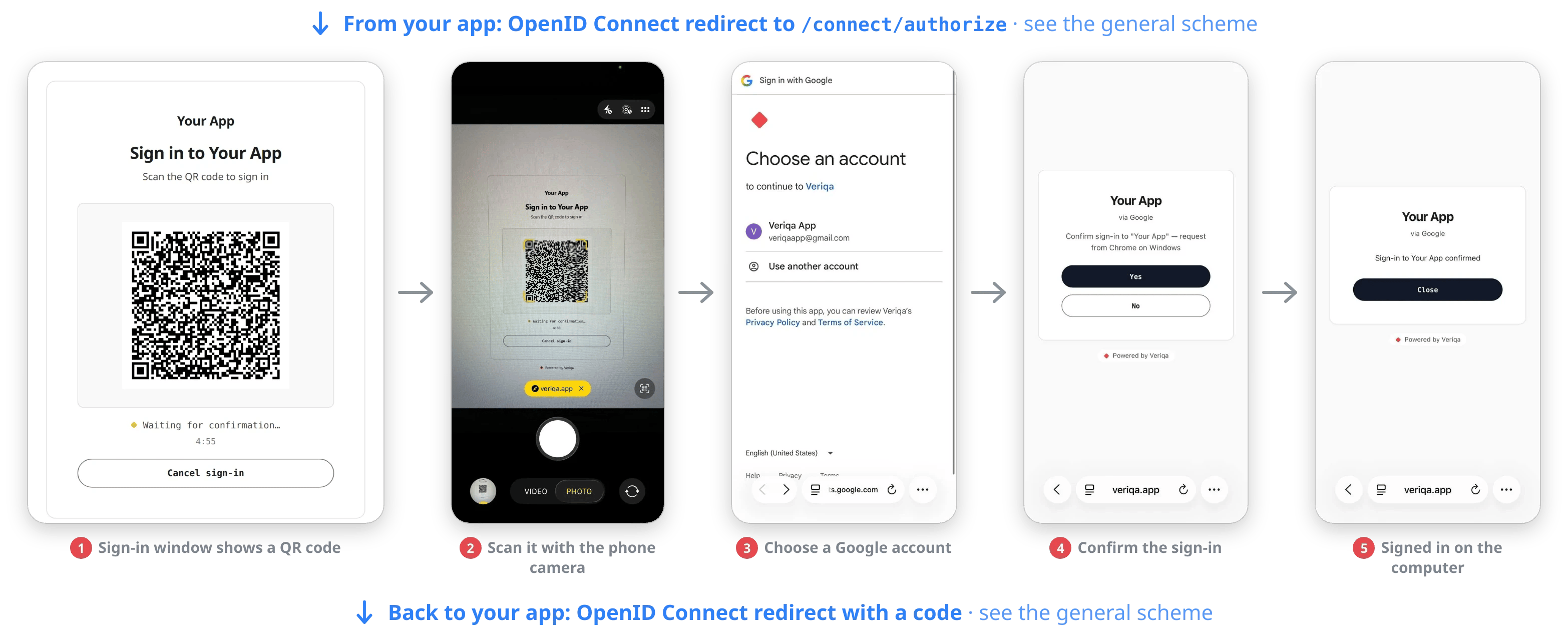
A QR code, the phone camera, a Google account, one tap on the confirmation page.