Sign-in with a QR code on a computer, TV or kiosk
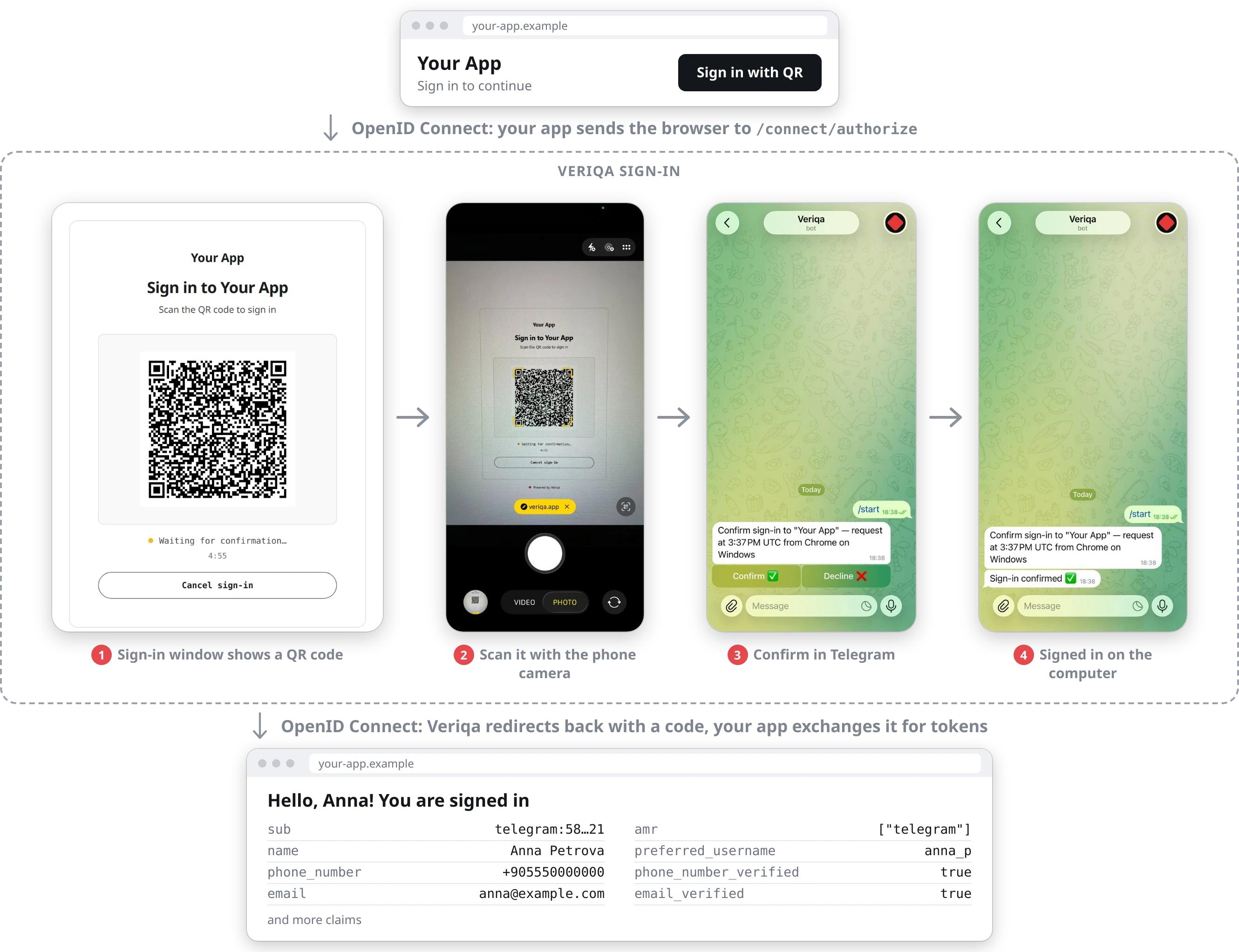
Your application stays a plain OIDC client. Veriqa runs the sign-in page, the QR code and the confirmation in the messaging app on its own side.
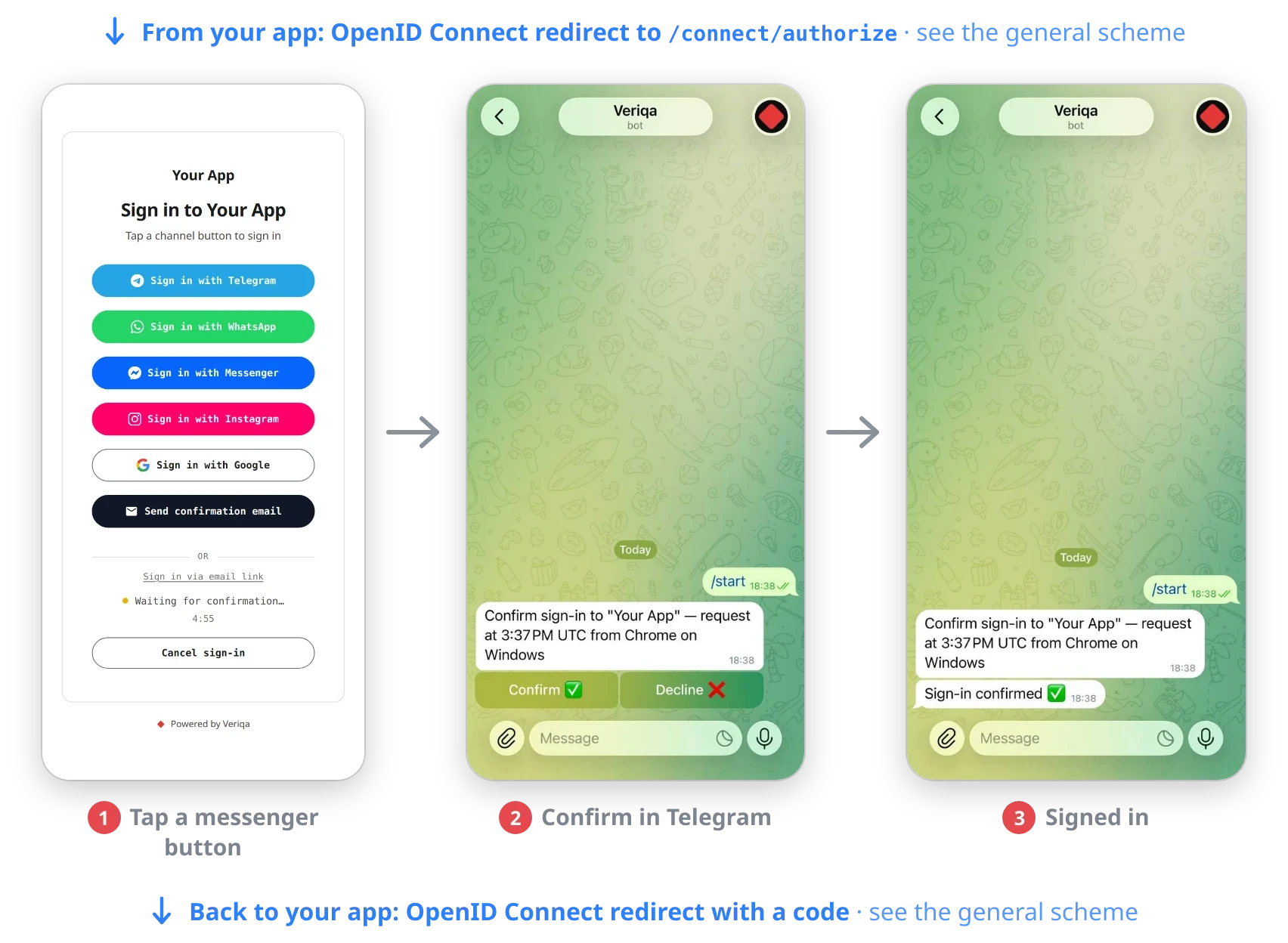
The app starts the sign-in and gets ordinary OpenID Connect tokens, whichever channel the user picks. On WhatsApp the user sends a prepared message first.
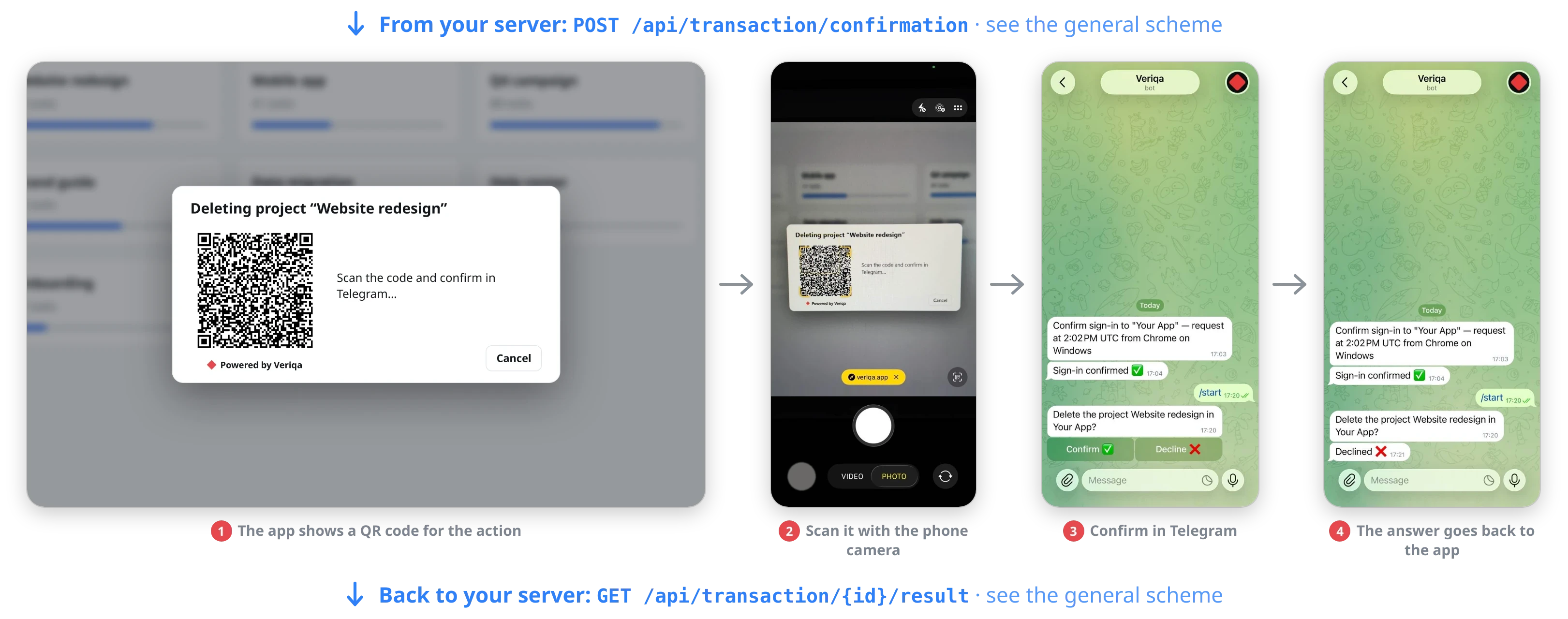
Veriqa also handles approval of AI agent actions and risky operations: deleting important data, changing payment details, granting access to another person.
When the app needs data the channel does not supply, the user adds it during the sign-in: a phone number from the messaging app, a confirmed email, the fields of a short form.
A public client with PKCE needs only the issuer address, the client ID and the redirect URI. Moving to another deployment changes only the issuer address.
VERIQA_ISSUER=https://auth.your-domain.com
VERIQA_CLIENT_ID=my-app
APP_REDIRECT_URI=https://your-app.example/callbackEmbed the auth server in your application through NuGet packages, or add Veriqa as a connector on top of OpenIddict.
The .NET quickstartNode, Java, Python, Go, PHP: no Veriqa package is needed, only a standard OIDC client. In an IAM such as Logto, Veriqa is added as an ordinary social connector.
The Node.js quickstartSign-in through Veriqa has been tested on WordPress, Drupal, Joomla, TYPO3 and Bitrix. These CMS platforms treat Veriqa as an ordinary external OIDC provider.
Learn more — documentationThe auth server is embedded in your .NET application and runs in its process.
A ready-made image of the auth server that runs next to your application, inside your perimeter.
A self-contained file registered as a Windows service or a systemd unit — no Docker and no .NET runtime on the machine.
Channels are switched on by configuration. A channel of your own can be an external service in any language over HTTP.
How to connect a channel of your ownThe database, the keys and the logs stay on your infrastructure, and Veriqa keeps no user directory.
Security and data handlingThe source code is open and the known limitations are documented, so you can check both before you decide.
The page for business covers sign-in costs, the experience for customers and what it takes to launch.
Open the page for business