General scheme
A sign-in starts in your app: it sends the browser to the sign-in page with a standard OpenID Connect redirect. The user confirms in a channel, and the browser returns to your app with a code that your app exchanges for tokens.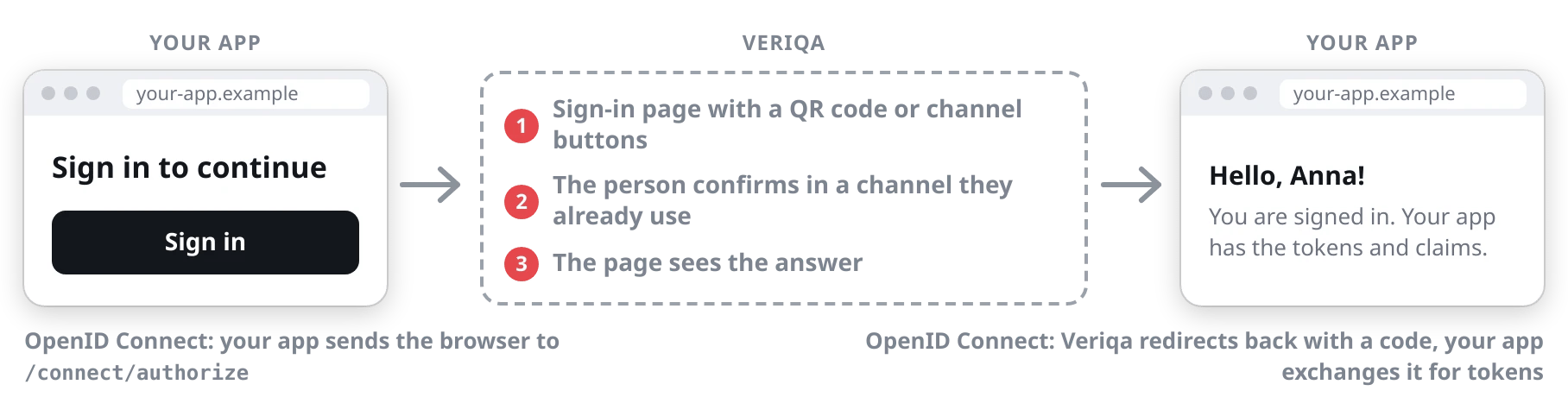
Signing in on a computer
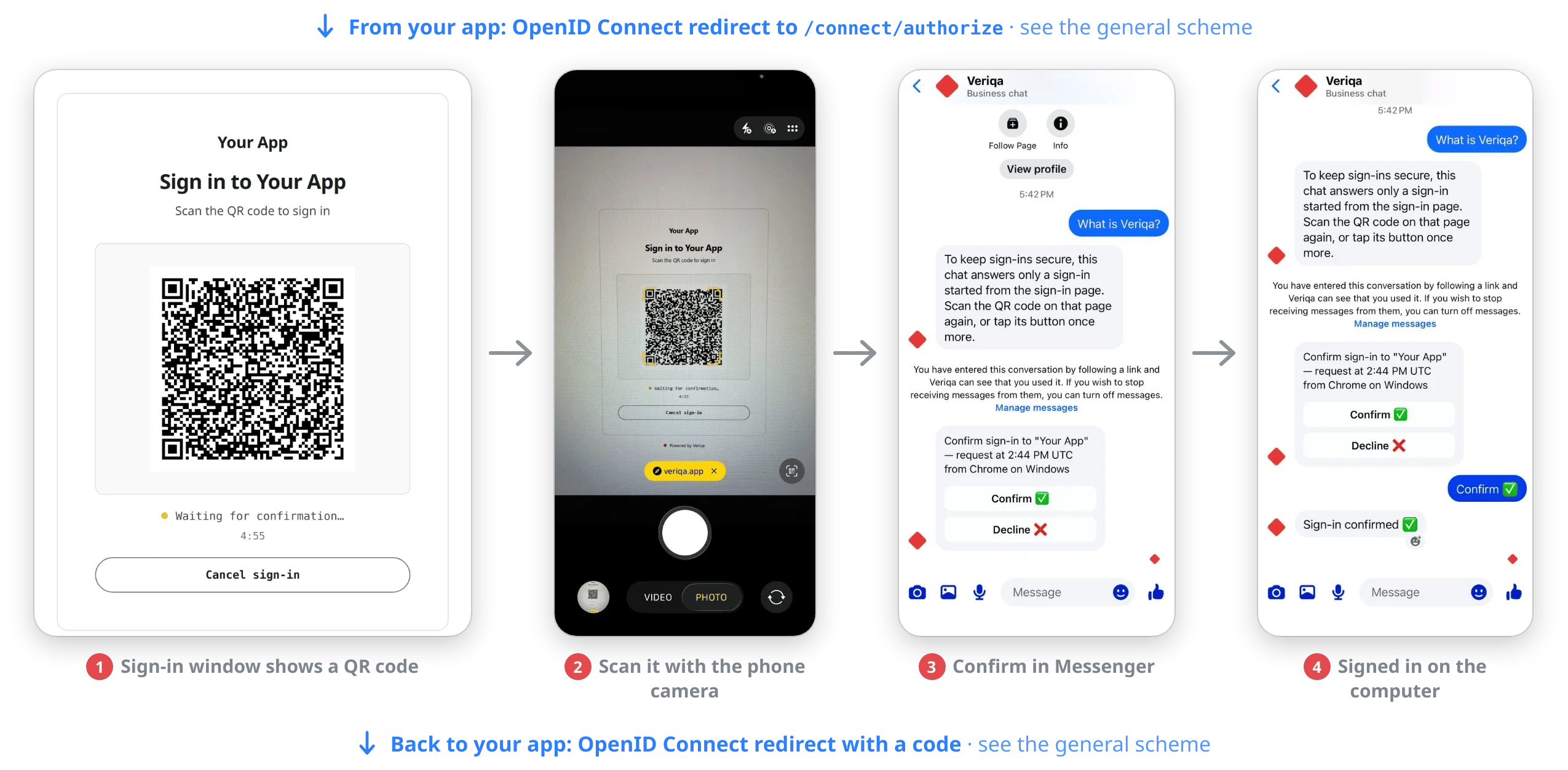
The user scans the QR code with their phone camera and confirms in the Messenger chat.
Signing in on a phone
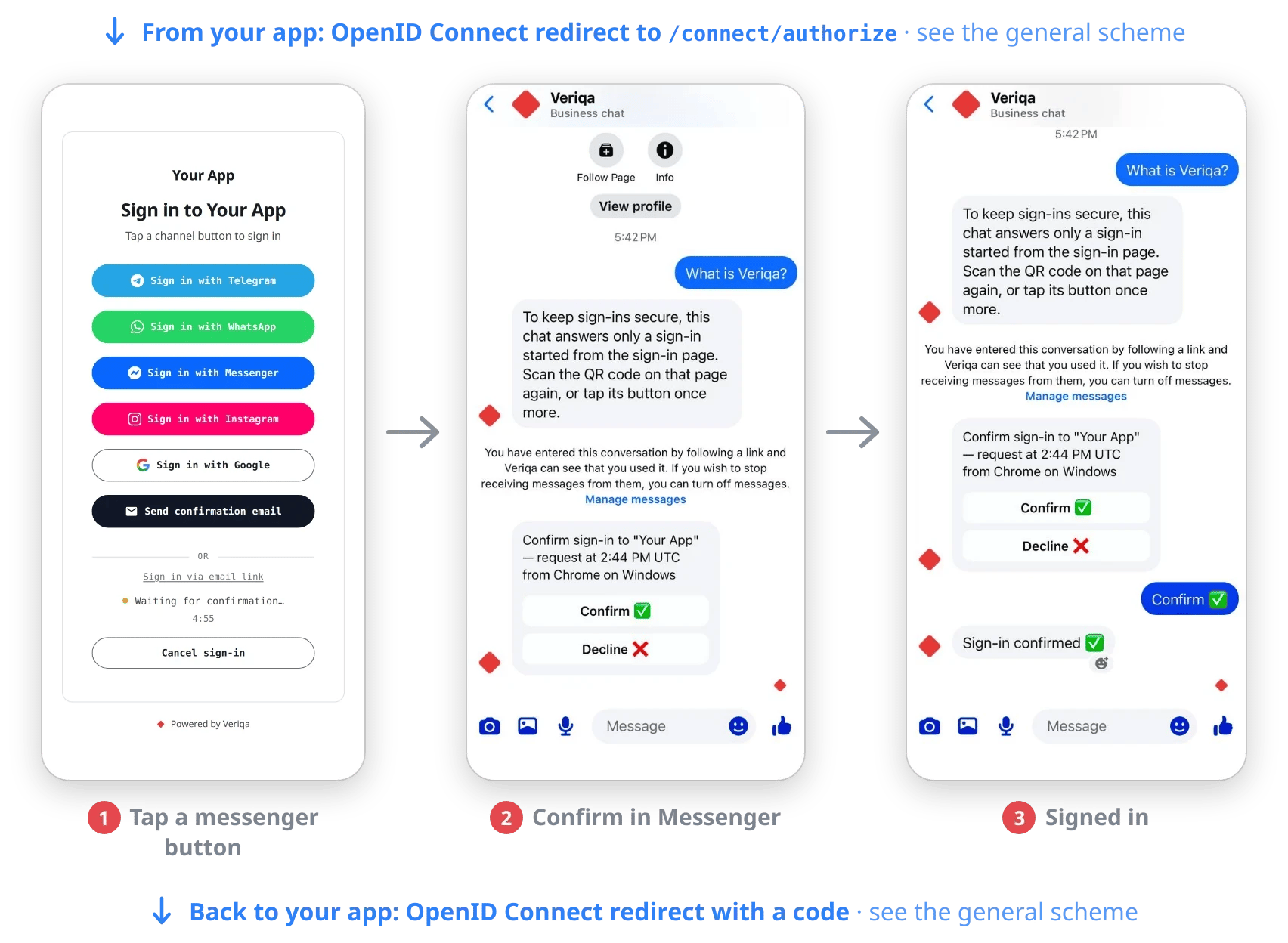
The user taps "Sign in with Messenger" and confirms in the Messenger chat.
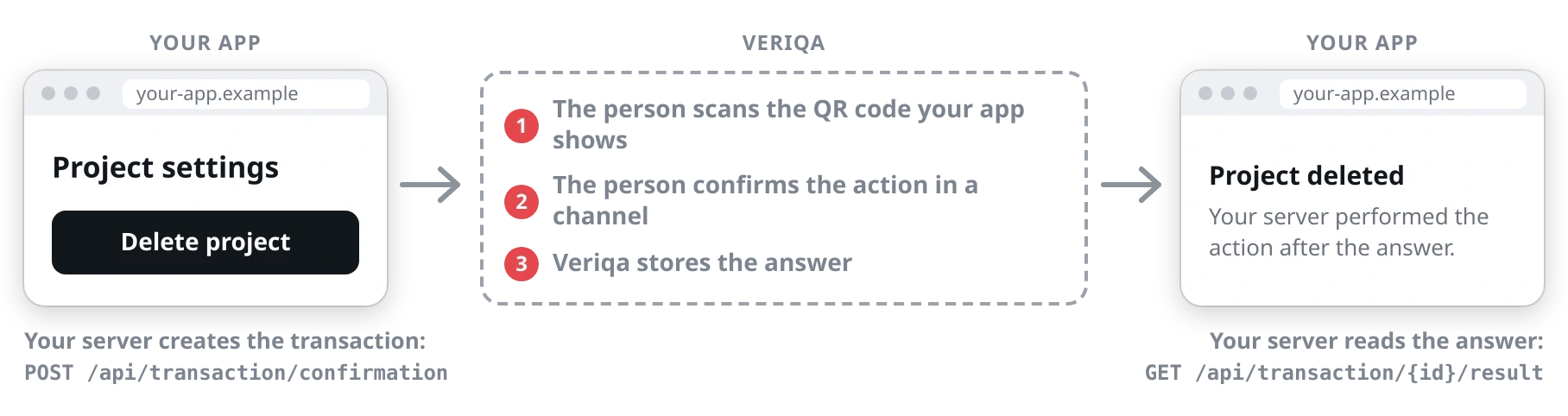
Step-up: confirming an action
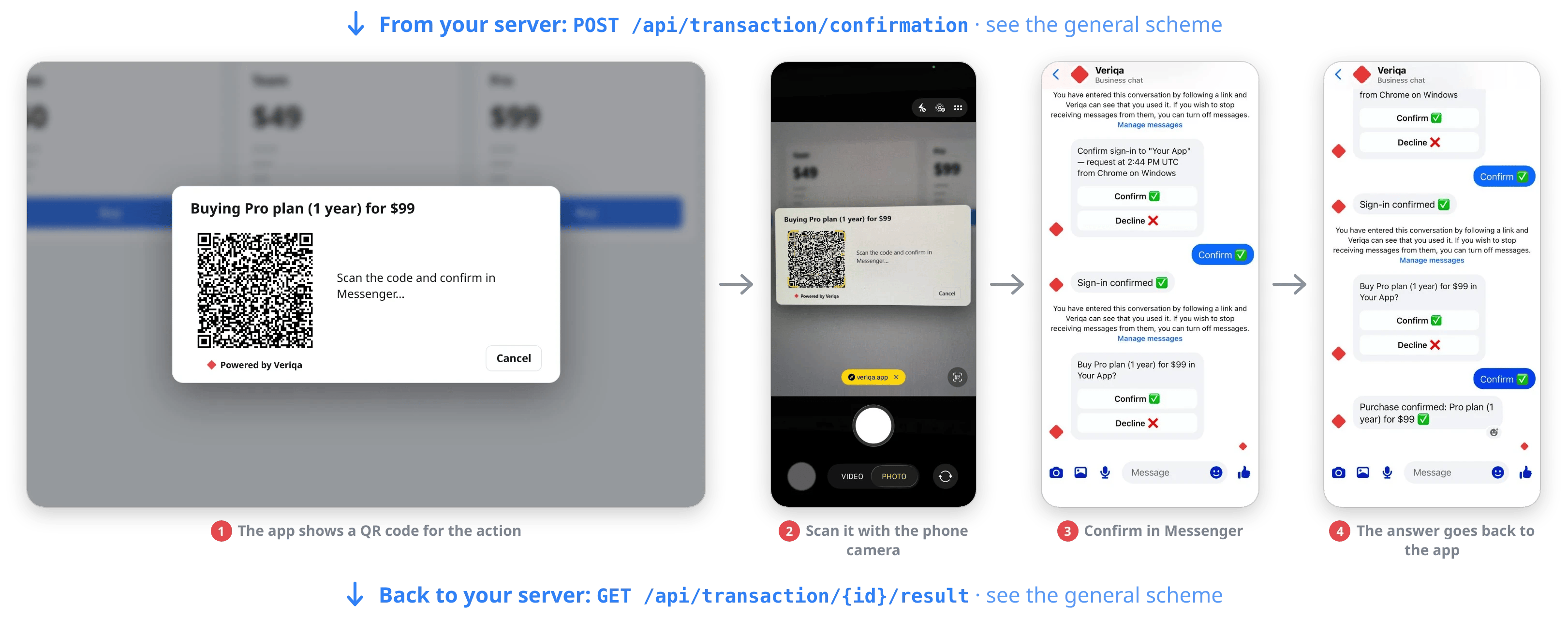
The app shows a QR code, and the user scans it with their phone camera and confirms the purchase in Messenger.
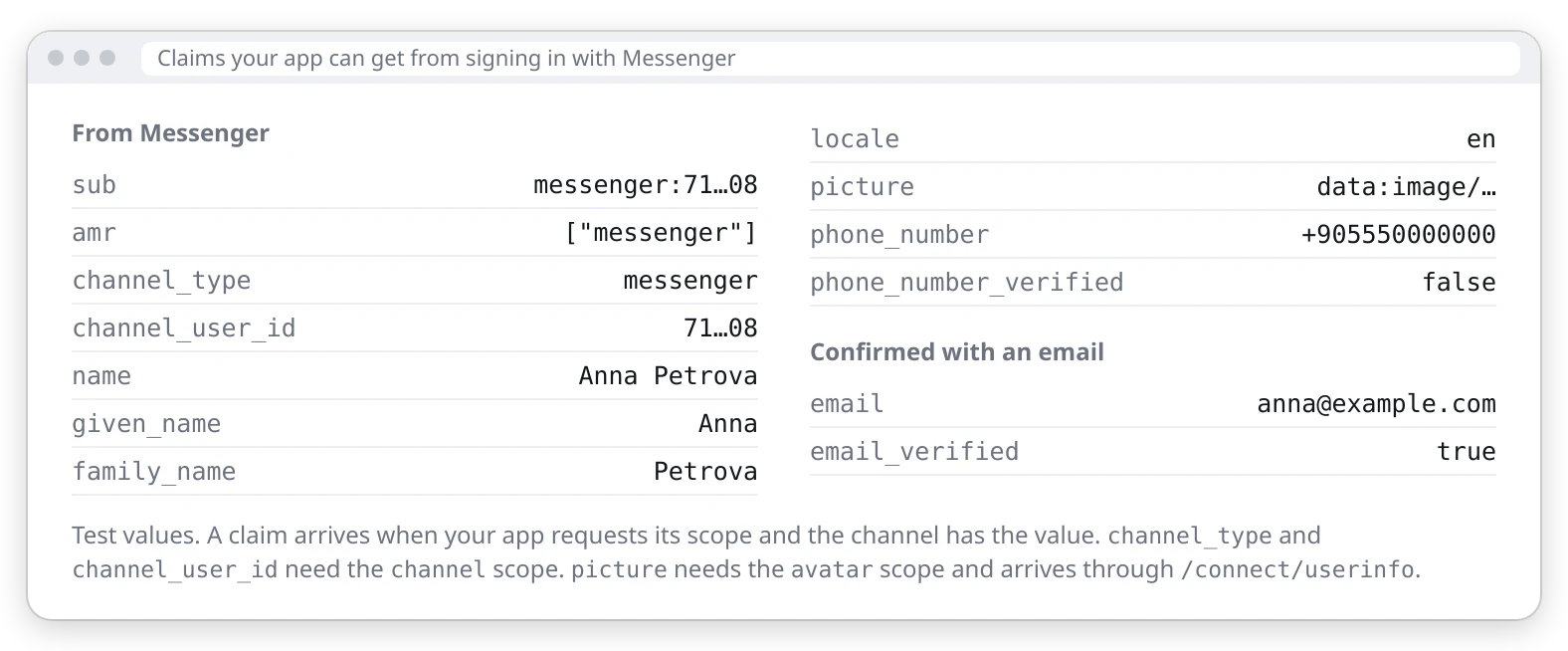
Claims your app can get