General scheme

A sign-in starts in your app: it sends the browser to the sign-in page with a standard OpenID Connect redirect. The user confirms in a channel, and the browser returns to your app with a code that your app exchanges for tokens.
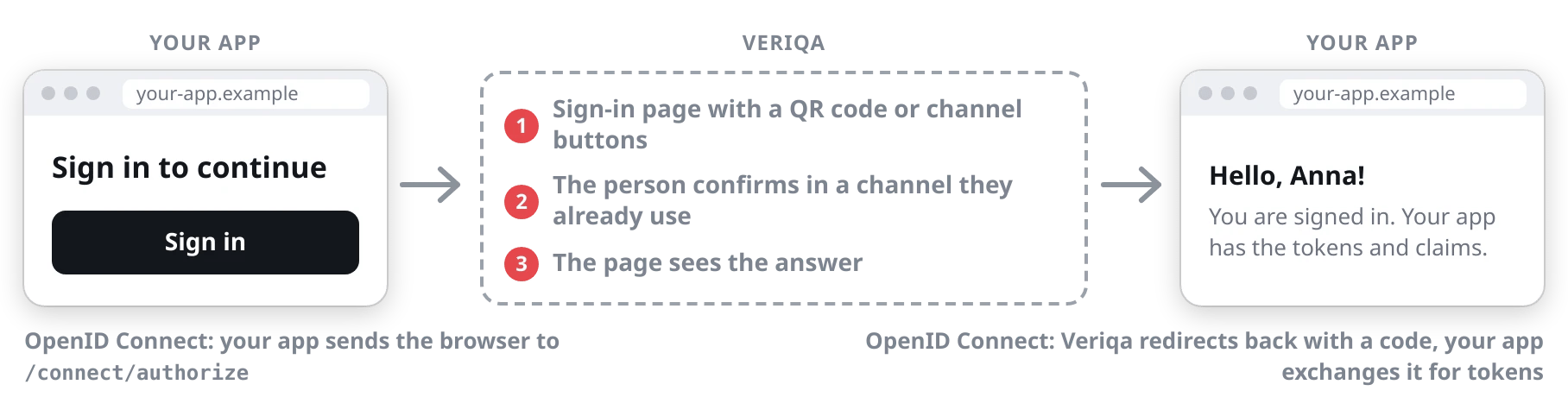
Signing in through Veriqa: your app sends the browser to the sign-in page by an OpenID Connect redirect, the person confirms in a channel, and Veriqa redirects back so your app can exchange the code for tokens.
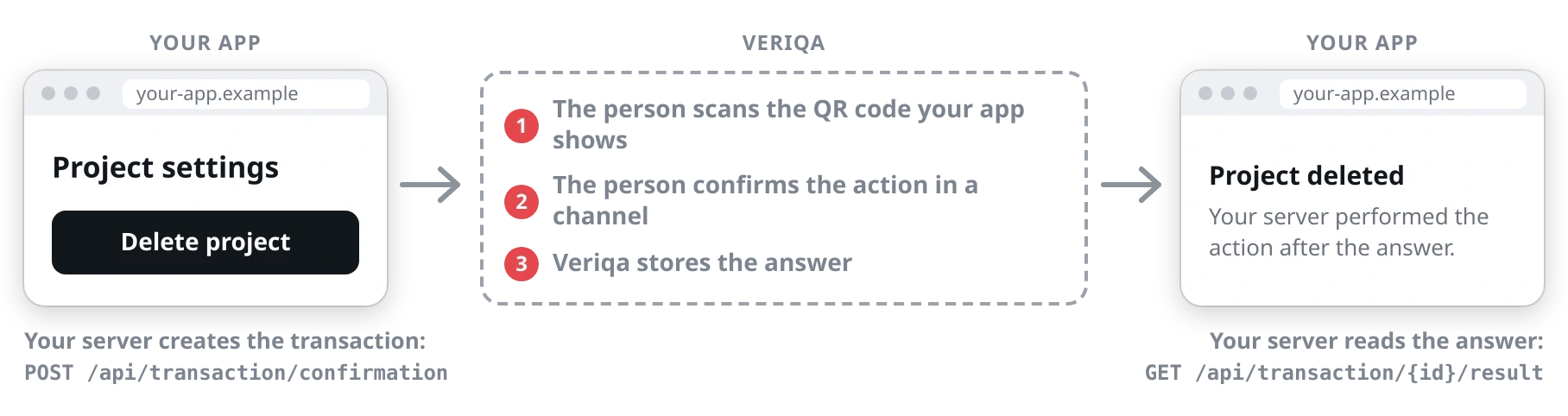
An action confirmation starts on your server: it creates a transaction through the Veriqa API. The user confirms in a channel, and your server reads the answer and performs the action. The browser is not redirected.
Confirming an action through Veriqa: your server creates the transaction, the person scans the QR code your app shows and confirms in a channel, and your server reads the answer and performs the action.
See Basic scenarios.

Signing in on a computer

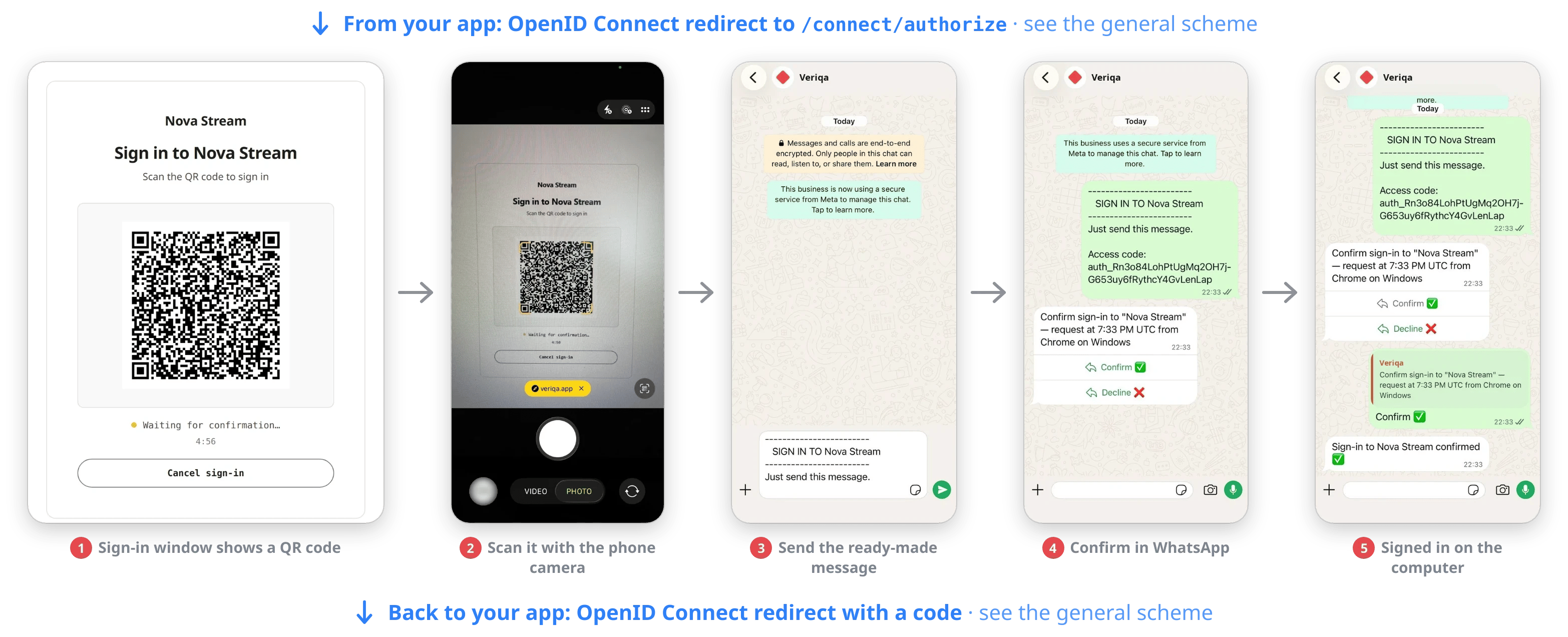
Signing in on a computer with WhatsApp: the phone camera scans the QR code, WhatsApp opens a ready-made message, the user sends it, taps Confirm, and the chat replies "Sign-in confirmed".

The user scans the QR code with their phone camera, sends the ready-made message in WhatsApp and taps Confirm.

Signing in on a phone
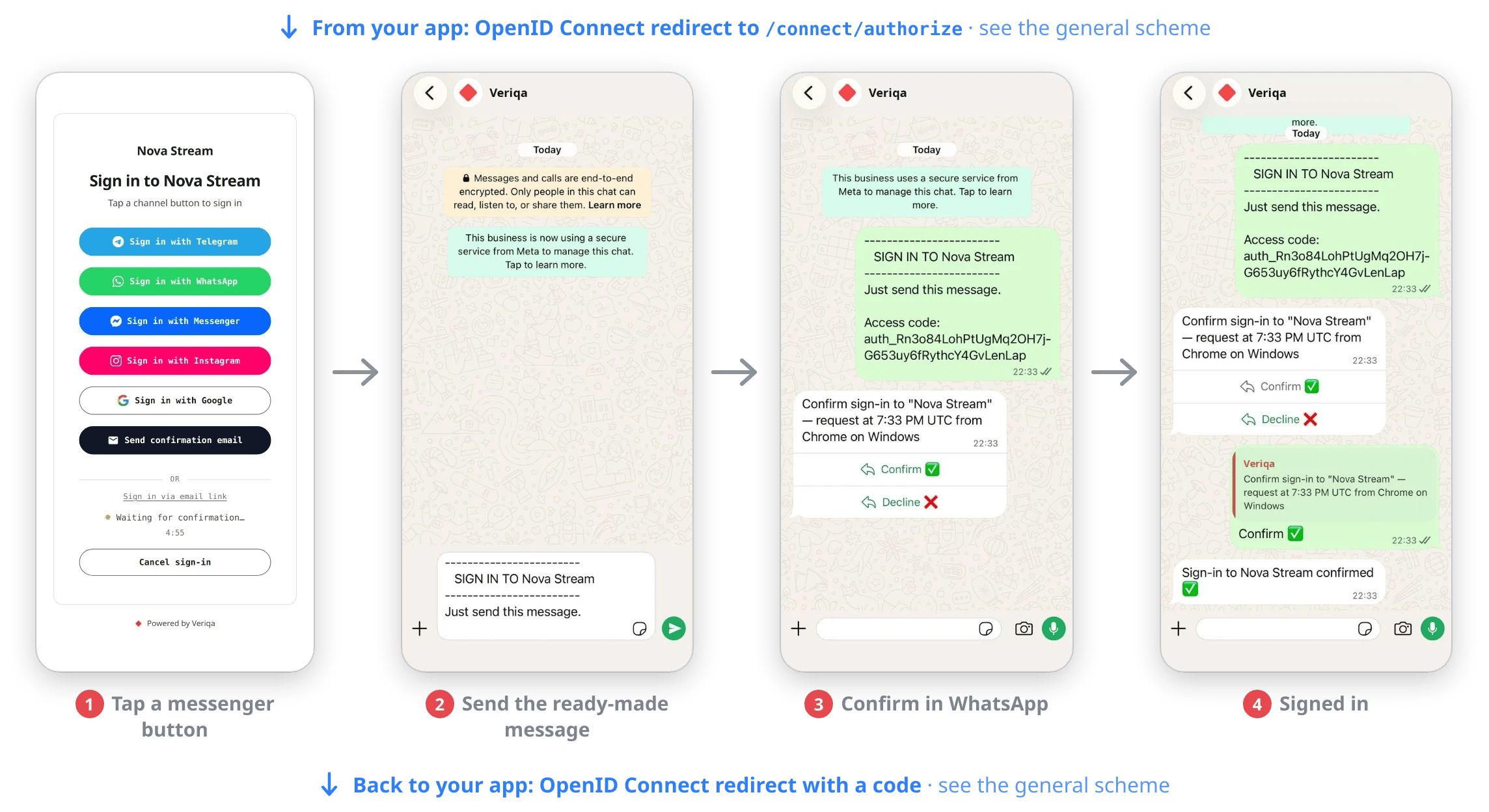
Signing in on a phone with WhatsApp: the user taps "Sign in with WhatsApp", sends the ready-made message, taps Confirm, and the chat replies "Sign-in confirmed".

The user taps "Sign in with WhatsApp", sends the ready-made message and taps Confirm.

Step-up: confirming an action
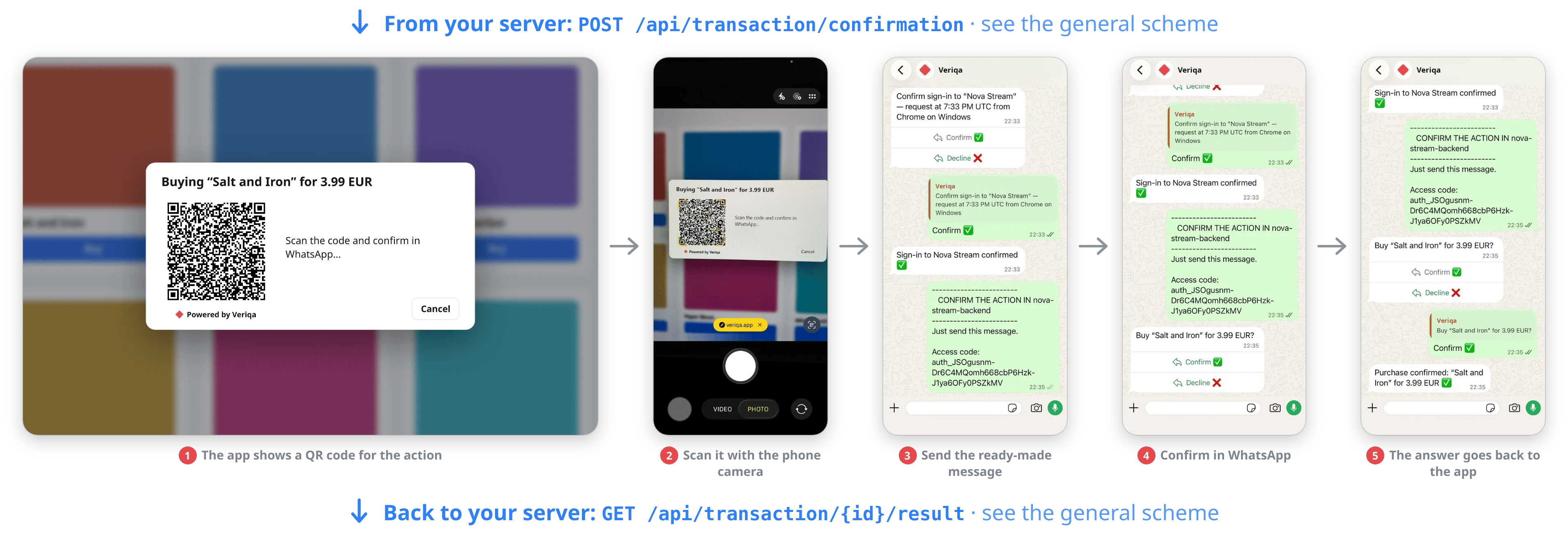
Confirming a purchase with WhatsApp: the app shows a QR code, the phone camera scans it, the user sends a ready-made message, taps Confirm, and the chat replies "Purchase confirmed".

The app shows a QR code, and the user scans it with their phone camera, sends the ready-made message in WhatsApp and taps Confirm.

Claims your app can get
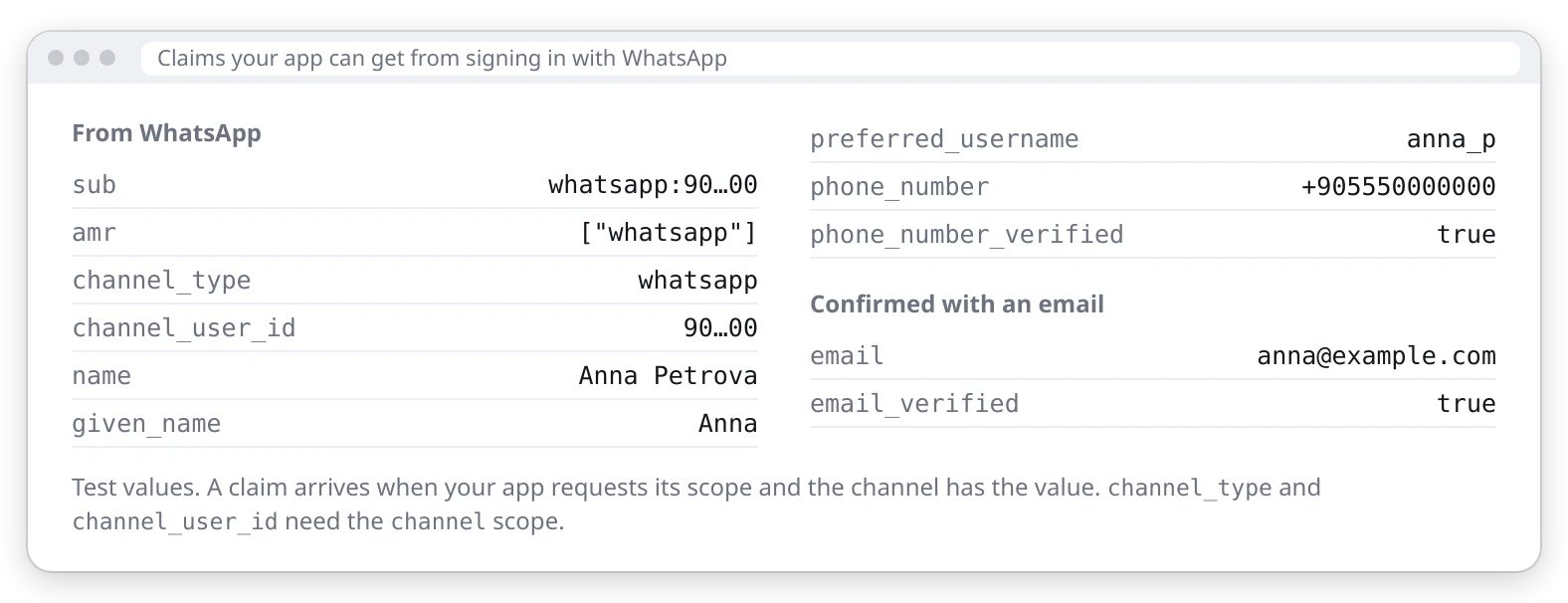
Claims your app can get from signing in with WhatsApp: sub, amr, channel_type, channel_user_id, name, given_name, preferred_username, phone_number, phone_number_verified true, and email with email_verified after an email confirmation.